Omnia
Product
AI Visibility Tracking
AI Prompt Discovery
Insights
AI Sentiment Analysis
Omnia MCP
For Who
SEO & Content Leads
In-house Marketers
Agencies
Pricing
Blog
Resources
Customer Stories
Free AI Visibility Checker
Knowledge Base
Comparison Hub
Product Updates
API Docs
MCP Docs
Trusted Agencies
Affiliate Program
Log inSign up
Log inStart for Free
Some would call these "Product Updates"
What we broke, fixed, and recently built

Be the brand customers see when they ask AI

We ship weekly. Sometimes daily. Here's the proof.

June 19, 2026

Stop guessing what your buyers ask AI

Improved
Prompt Discovery

What is it?

Prompt Discovery turns your keywords into the real prompts your buyers type into AI engines. Drop in a keyword list or a Google Search Console export, and Omnia builds a clean, structured set of conversational prompts across your full funnel. No keywords to start with? Omnia can research your brand and category and suggest them for you.

Why does it matter?

AI engines read intent, not keywords, so your old keyword lists never showed you how buyers actually find you. Now you can see the exact conversations happening about your brand and know precisely which prompts to monitor, instead of guessing.

June 15, 2026

Sentiment, right where you work

Improved
Sentiment Analysis

What is it?

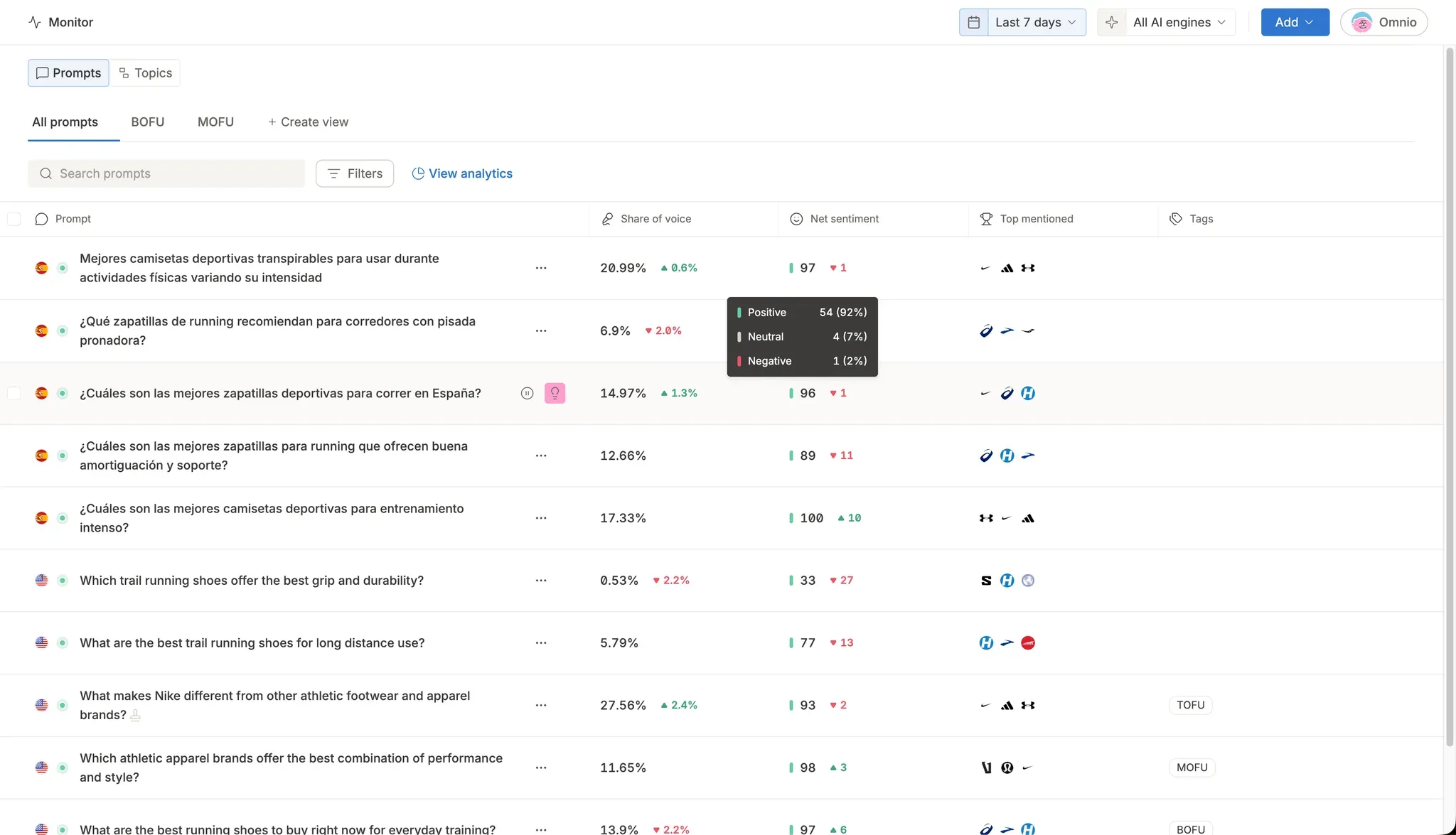
Net sentiment now shows up directly in your prompts and topics tables, and inside individual AI answer rows. Each row gives you a sentiment score, a trend arrow, and a hover breakdown of positive, neutral, and negative mentions, with sorting supported. The same data is available through the public API and MCP.

Why does it matter?

You no longer have to jump to the Sentiment tab to see how AI perceives your brand. Scan a whole table at a glance, sort by sentiment, and instantly spot which prompts, topics, and answers are working in your favor and which are not.

June 1, 2026

Group your prompts and data into Views

New!
Monitoring

What is it?

You can now group your monitoring prompts into custom Views, by product line, campaign, funnel stage, or any way you choose, and see combined analytics for each group. Build a View from a tag and it updates itself. Any new prompt with that tag joins the group automatically.

Why does it matter?

Instead of reading prompts one by one, you see the share of voice and performance of an entire group at a glance. Focus on this week's priorities, follow a campaign from start to finish, or compare product lines side by side, without rebuilding the same filter every time.

May 29, 2026

Claude, Gemini, and Copilot join the monitoring lineup

New!
Monitoring

What is it?

You can now monitor your brand across three new AI engines: Claude, Gemini, and Microsoft Copilot. That brings Omnia to 7 AI engines, alongside ChatGPT, Perplexity, Google AI Overviews, and Google AI Mode.

Why does it matter?

Your customers ask different AI assistants the same questions, and each one pulls from different sources. Seeing all 7 in one place shows you the full picture of where your brand gets cited, and where it doesn't. If there's an engine you need that isn't enabled yet, you can request it directly from the engine picker.

May 18, 2026

Share your brand performance in one link

New!
Monitoring

What is it?

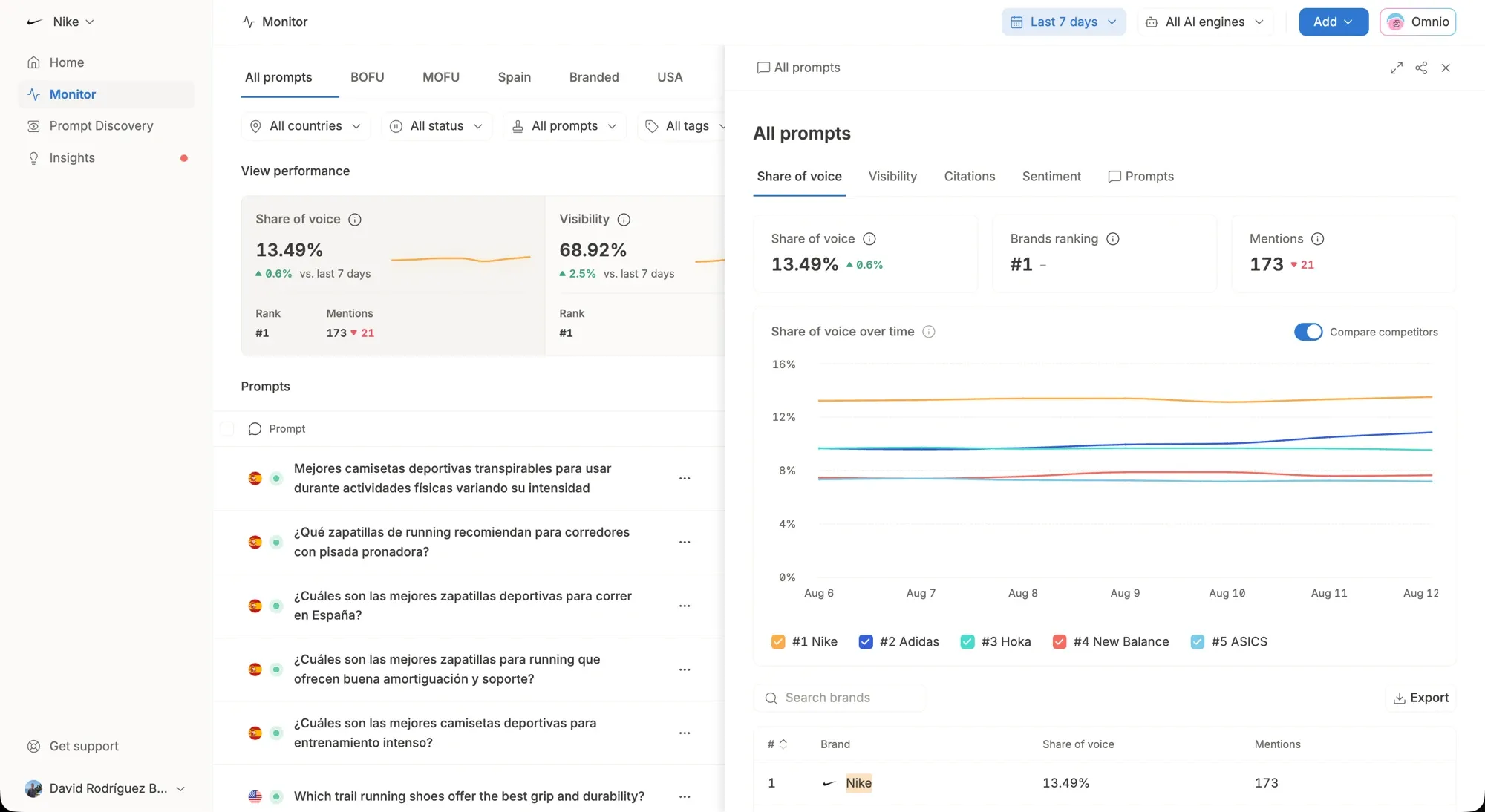
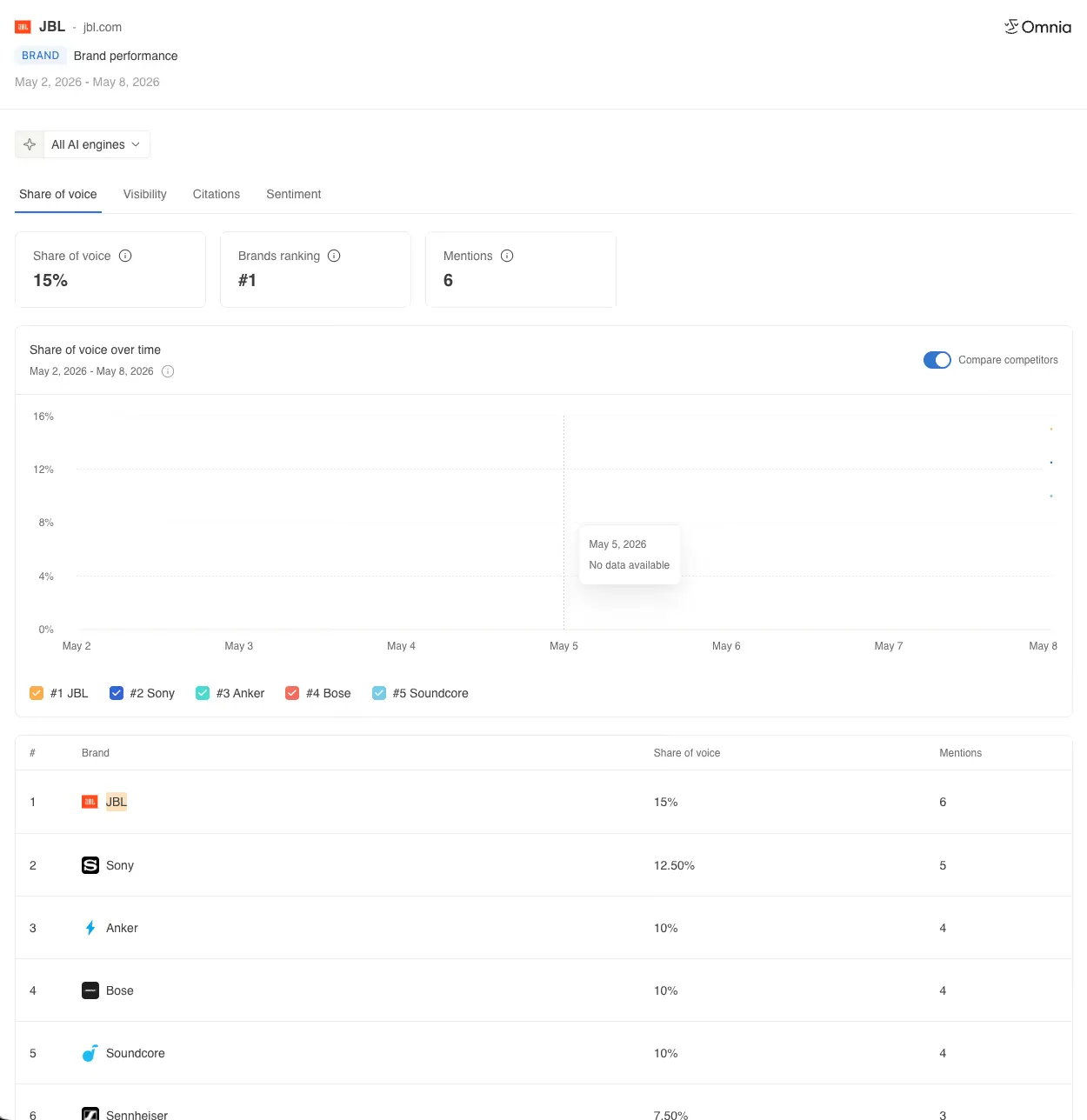
You can now share your brand performance straight from the Home view. Click the share buttom, get a public link, and send it to anyone. They'll see visibility, share of voice, citations, and sentiment, all filtered by AI engine. No login required.

Why does it matter?

Until now, you could share prompts and topics, but not the overall brand picture. Now you can send a CMO, a client, or an internal channel a link to the same view you use, without exporting screenshots or pulling them into Omnia.

May 6, 2026

Generate insights for every AI engine at once

Improved
Insights

What is it?

You can now select multiple AI engines in the Generate Insight dialog (Google AI Mode, AI Overviews, ChatGPT, Perplexity) and trigger all of them in a single click. Each engine runs independently with its own progress tracking. If one fails, the rest still complete.

Why does it matter?

Generating insights for 4 engines used to take 4 sequential rounds: select one engine, wait for it to finish, repeat. Now one click starts them all. The per-engine progress banners in the Insights tab let you track exactly where each run stands.

April 21, 2026

Improve AI Sentiment with Insights

Improved
Insights

What is it?

Insights can now detect when AI engines are undermining your brand and hand you the fix. When the agent spots a lopsided sentiment ratio (say, 0 endorsed and 7 undermined mentions on a feature), it generates a brief with the content to publish, where to pitch it, and the angle that flips the ratio.

Why does it matter?

Positioning tells you whether AI talks about you. Sentiment tells you how it talks about you, and hands you the plan to change it. Being mentioned is not the same as being endorsed, and now you can fix both inside one system.

April 17, 2026

Resize columns to fit your longest prompts

Improved
UX

What is it?

You can now resize the columns in your monitor tables. Drag the edge of any column to make it wider or narrower, and shape each view around the prompts you actually care about.

Why does it matter?

Prompts are getting longer, and cramped columns make them painful to scan. Now every table bends to your workflow, so the details you need to see are always readable at a glance.

April 15, 2026

Sentiment Analysis now in the API and MCP

Improved
Sentiment Analysis

What is it?

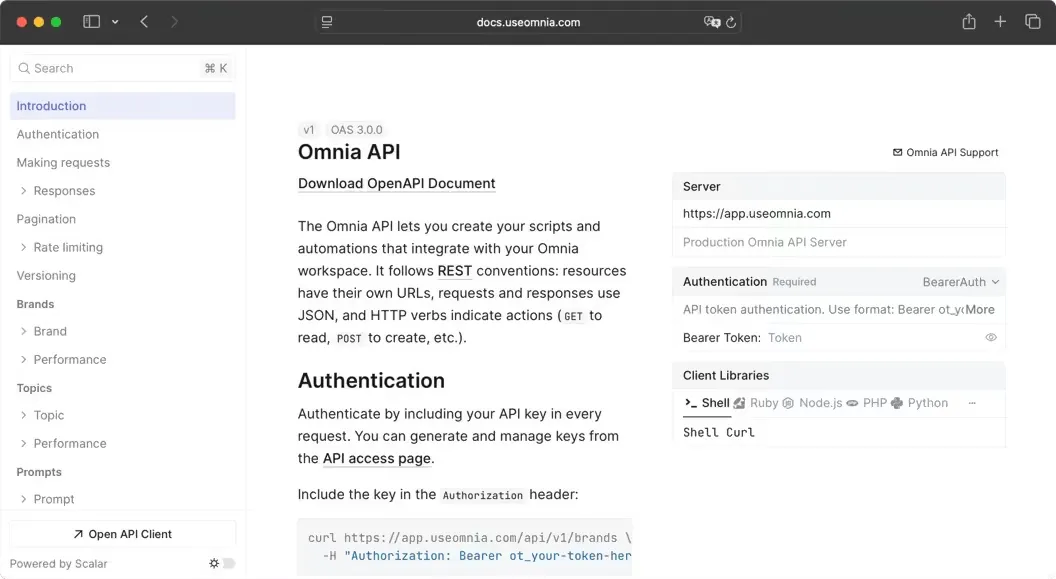
Sentiment analysis data is now available through the Omnia Public API and MCP. You can query how AI engines perceive your brand at the brand, topic, or prompt level, either through code or by simply asking an AI agent like Claude.

Why does it matter?

You can now ask Claude "how do AI engines feel about my brand?" and get a real answer backed by real data. Now you can pipe that into your own tools, trigger alerts, or just ask your agent a question and get an answer in seconds.

April 14, 2026

Tag it, filter it, share it

Improved
Monitoring

What is it?

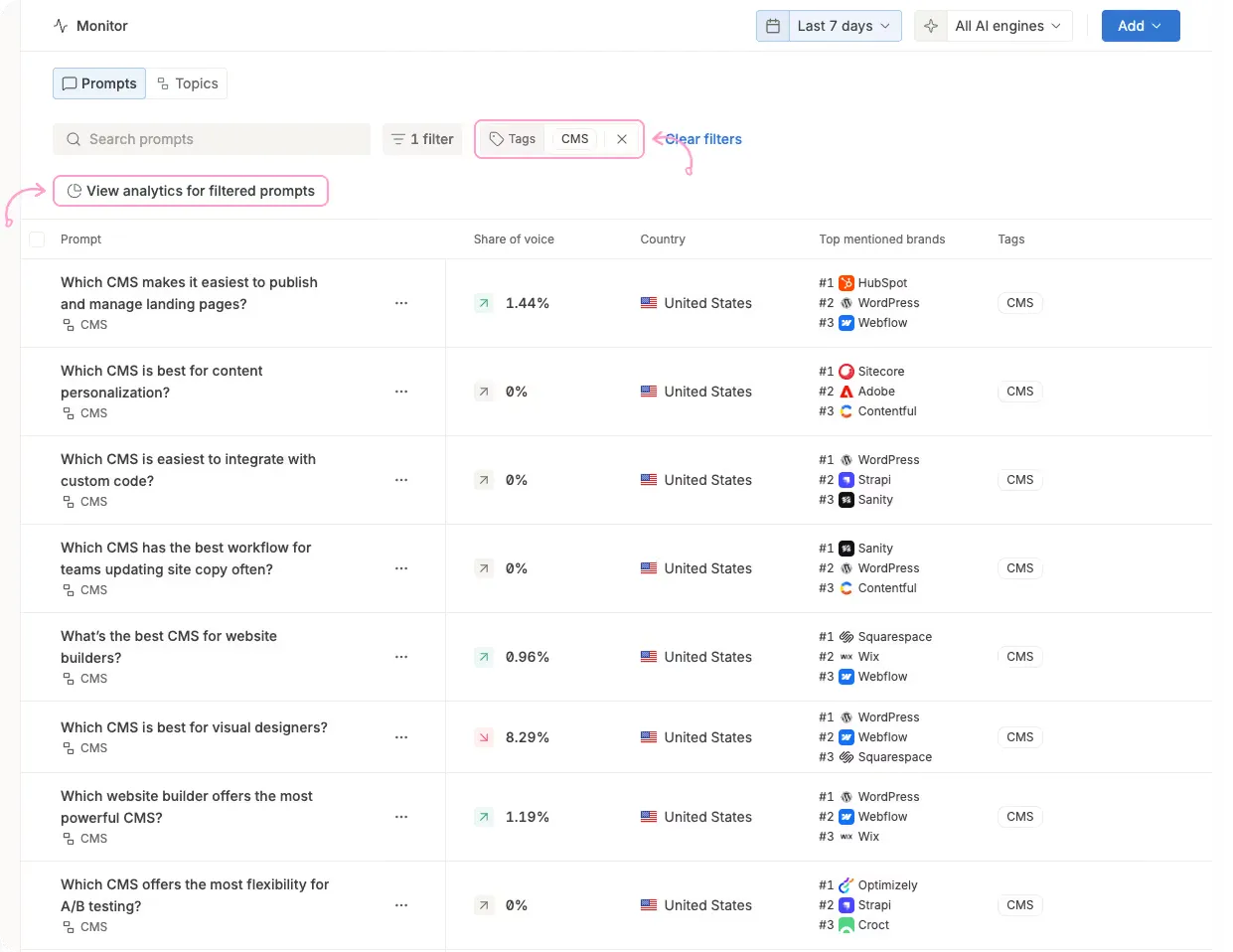
Prompts now support tags and filtered analytics. Tag your prompts however makes sense for your workflow (by funnel stage, product line, campaign, competitor), then filter to see aggregated visibility data for exactly that group. Combine with country filters for even more precision. Share the view via email when your CMO asks "how are we doing in Germany against competitor X?"

Why does it matter?

Until now, you had two speeds: one prompt at a time, or an entire topic. Neither helped when you needed to answer "how visible are we across all our TOFU prompts in the UK?" Now you can slice your monitoring data any way you need, get the aggregated picture in seconds, and forward it to whoever is asking.

Next

10x your AI visibility without being a GEO expert

Start Free 14-Day TrialBook a Demo
No credit card required · Free for 14 days · See your AI visibility within 3 minutes
Omnia helps brands discover high‑demand topics in AI assistants, monitor their positioning, understand the sources those assistants cite, and launch agents to create and place AI‑optimized content where it matters.

Omnia, Inc. © 2026
Product
Pricing
AI Visibility Tracking
Prompt Discovery
Insights
Sentiment Analysis
Omnia MCP
Solutions
Overview
SEO & Content Leads
In-house Marketers
Agencies
Resources
BlogCustomersFree AI visibility checkerKnowledge baseComparison HubProduct UpdatesTrusted AgenciesAPI docsMCP DocsAffiliate Program
Company
Contact usPrivacy policyTerms of ServiceProtecting Your Data