Free AI Visibility Checker for ChatGPT and Google AI Mode
Omnia Agent checks how your brand appears in ChatGPT and Google AI Mode using prompts relevant to your category. See your visibility score, share of voice, and which sources appear in the answers. Get two immediate actions to improve your visibility.
Check your AI visibility across major LLMs


One report. Everything you need to know about your AI visibility.
Two immediate actions
Get two actions you can take right away to improve your visibility in AI answers.
Find relevant prompts
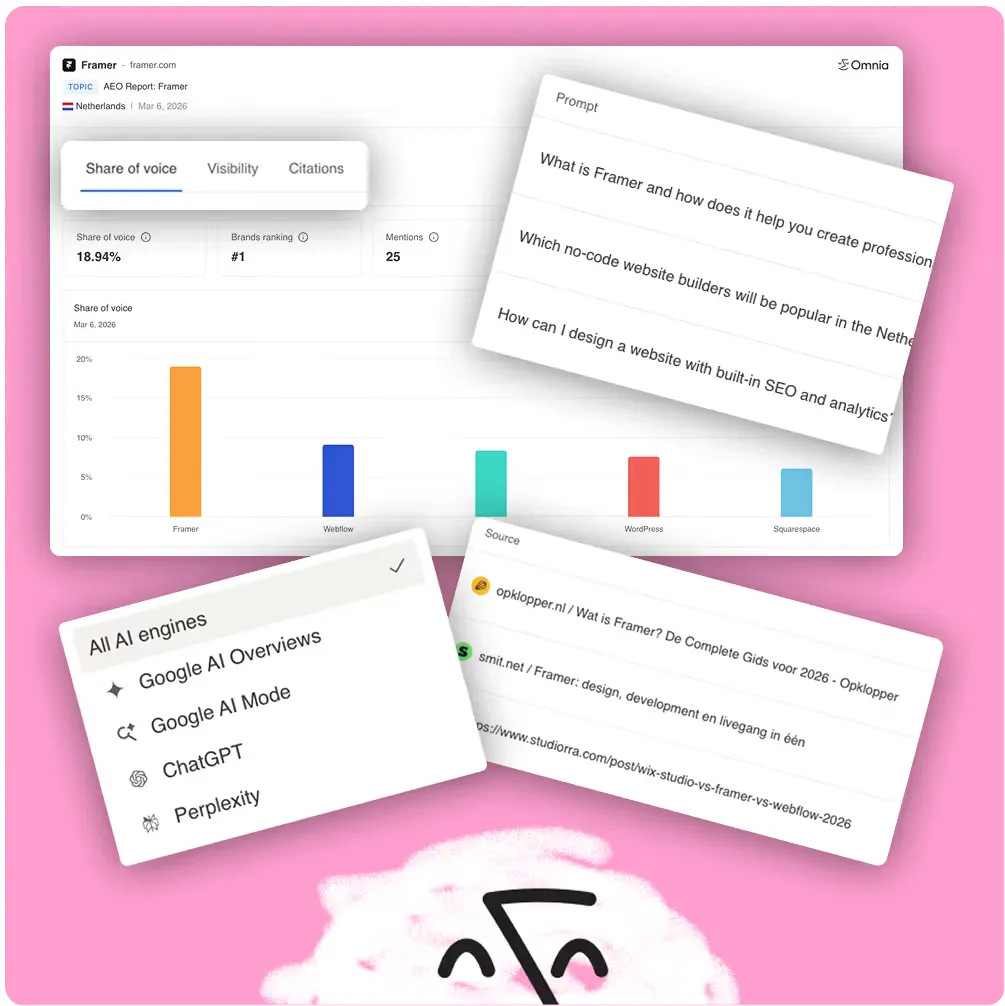
Omnia Agent finds relevant questions customers ask AI in your category.
Visibility Score
A clear rating of how visible your brand is in AI-generated answers, by engine, by prompt.
Share of voice
How often your brand appears compared to competitors across AI responses.
Citation insights
Which sources AI engines are citing and whether your domain is one of them.
If your customers use AI to find anything, this is for you
Use this if you've ever wondered:
 Does AI even know my brand exists?
- Which competitor is AI recommending instead of me?
- What content should I create to get cited by AI?
Marketing & Growth Teams
Track whether AI is sending customers your way or to competitors.
SEO & Content Teams
Understand which content is getting cited and what to create next.
Founders & Brand Builders
See where you stand before your competitors wake up to AI search.
Other free AI SEO tools
ChatGPT Visibility Checker
FreeFree ChatGPT visibility checker. See if ChatGPT recommends your brand, your share of voice vs competitors, and the sources it cites. Results in seconds.
FAQ Schema Generator
FreeTurn a public article URL into an FAQ with Omnia Agent. Get questions and answers in Markdown plus matching FAQPage JSON-LD schema.
LLMS.txt Generator
FreeGet a clean, valid llms.txt in seconds along with a quick plan to improve your domain's visibility in AI search.
Stop guessing. See where you actually stand in AI search.
Frequently asked questions
Is there a free tool to check my brand's visibility in AI search?
Yes. Omnia's free AI visibility checker checks your brand in ChatGPT and Google AI Mode. It emails a report in 3 to 5 minutes, with share of voice, cited sources and 2 actions. Ahrefs, Semrush and HubSpot also offer free AI visibility checks, each with different engines and limits. Pick the one that covers the engines your buyers use.
Is the AI visibility checker really free?
Yes. The check is free, with no credit card and no trial to cancel. You enter your domain and email, and the report arrives by email.
Which prompts does the checker use?
The Omnia Agent selects 3 prompts relevant to your category, based on your website. They reflect questions buyers ask AI when looking for products like yours. Your report shows each prompt and how ChatGPT and Google AI Mode answered it.
Which AI engines does the free checker cover?
The free checker covers ChatGPT and Google AI Mode. It does not check Perplexity, Google AI Overviews, Claude, Gemini or Copilot. Omnia's paid plans monitor more engines daily.
How is this different from asking ChatGPT myself?
Asking ChatGPT yourself gives you one answer from one engine, with no comparison. The free checker runs 3 category prompts in ChatGPT and Google AI Mode and counts how often you and each competitor are named. It also lists the cited sources and suggests 2 actions, all in one report.
How soon will I get my AI visibility report?
Your report arrives by email within 3 to 5 minutes of submitting your domain.
Is one free check enough to know my AI visibility?
No. One check is a snapshot of 3 prompts on 2 engines on one day, and AI answers change from run to run. Use it to find a first gap, then track the same prompts over time to see real movement.
What should I do with the results?
Start with the 2 immediate actions in your report. Then look at the cited sources for any prompt where you were not named: those pages show what AI engines trusted instead. Our guide to reading your AI visibility report explains each section step by step.