Sentiment, right where you work
ImprovedSentiment AnalysisWhat is it?
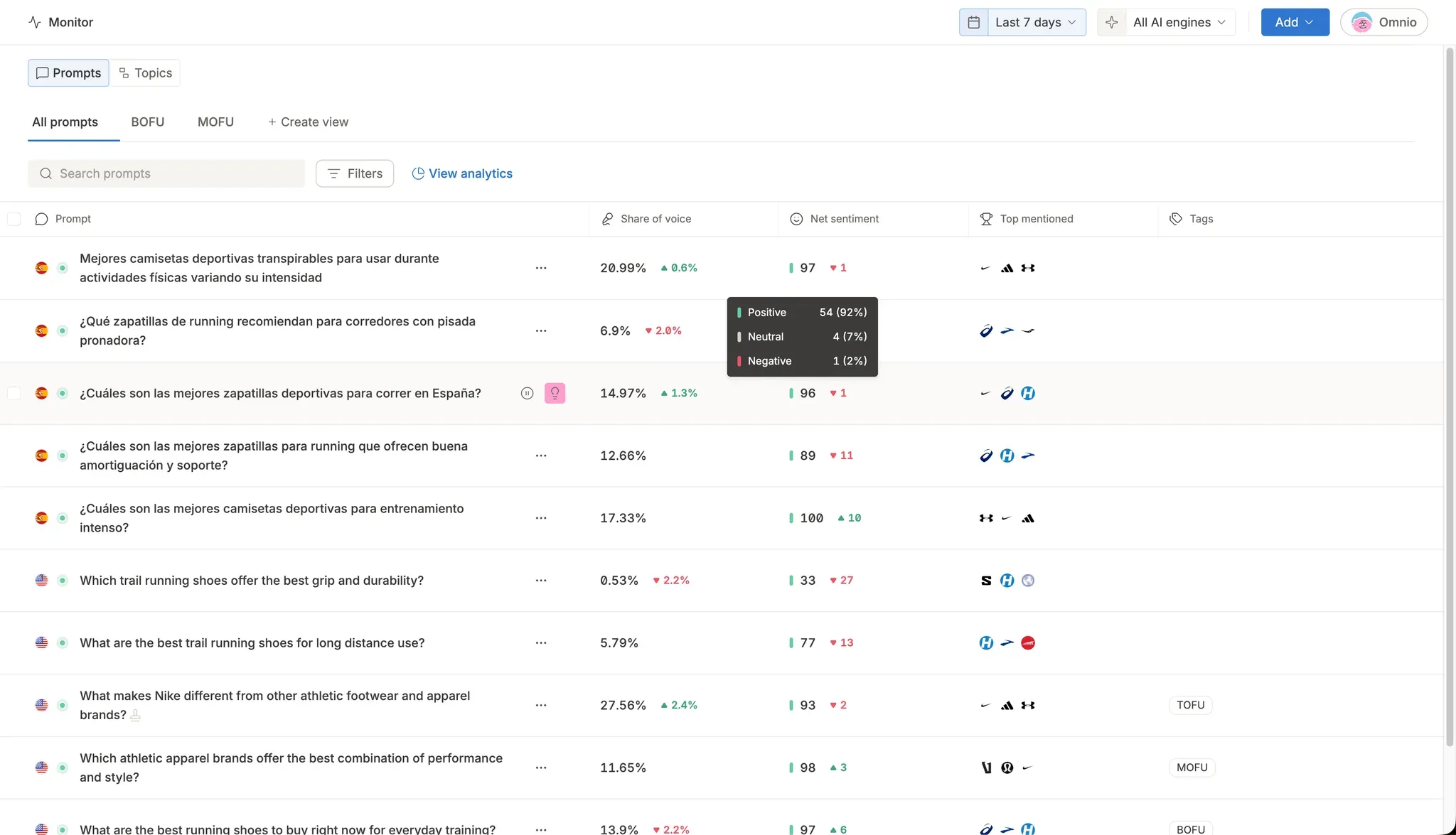
Net sentiment now shows up directly in your prompts and topics tables, and inside individual AI answer rows. Each row gives you a sentiment score, a trend arrow, and a hover breakdown of positive, neutral, and negative mentions, with sorting supported. The same data is available through the public API and MCP.
Why does it matter?
You no longer have to jump to the Sentiment tab to see how AI perceives your brand. Scan a whole table at a glance, sort by sentiment, and instantly spot which prompts, topics, and answers are working in your favor and which are not.