Your next AEO project, scoped from your daily data
Omnia Agent reads your daily monitoring data and proposes Projects with their evidence. Once you decide, it does the work, and everything lands on one board, from suggestion to Done.
Trusted by












Omnia Agent reads your brand data every day
Prompts, AI answers, citations and sentiment, your site, your competitors' and the tools you connected, read as one picture. Up to three scoped pieces of work come back, and only when they're worth your time.
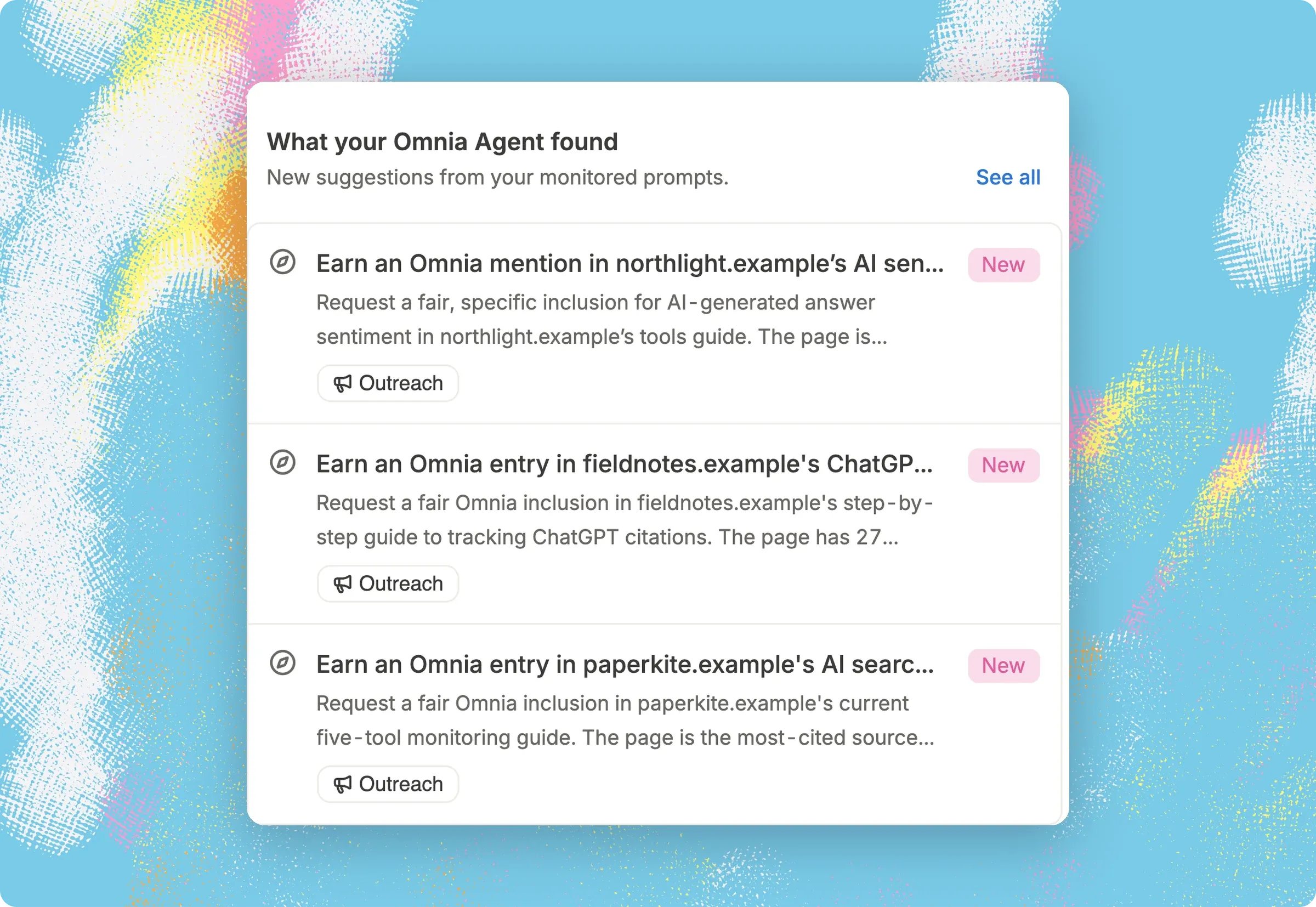
Every suggestion arrives with its evidence
A suggestion is a quick informational result, an investigated opportunity, or a reviewable proposal. Each one carries its confidence and what it still doesn't know, and you can ask Omnia Agent why it suggested it. Nothing ships without your approval.
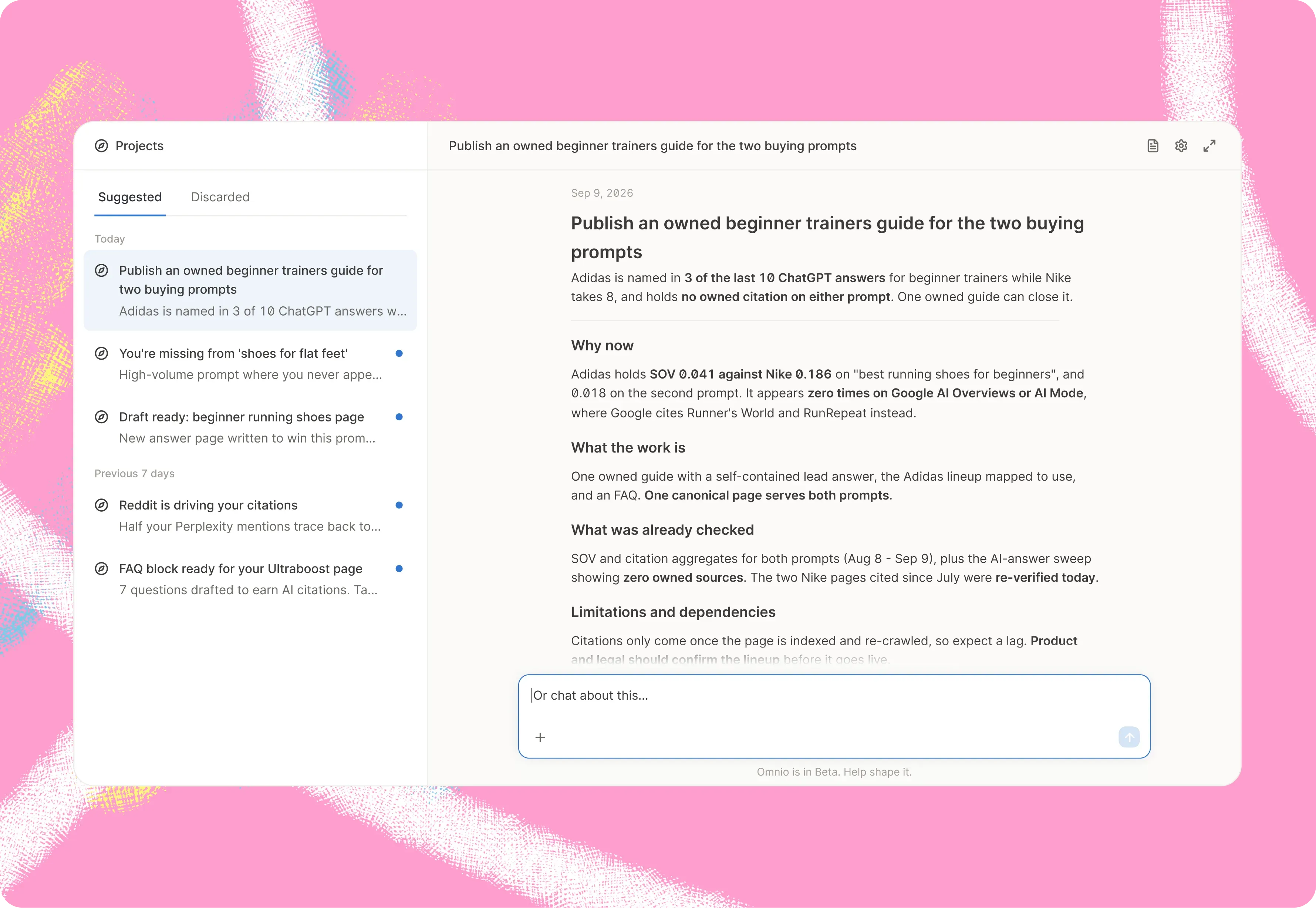
Accepting puts a Project on your board, with its conversation already started
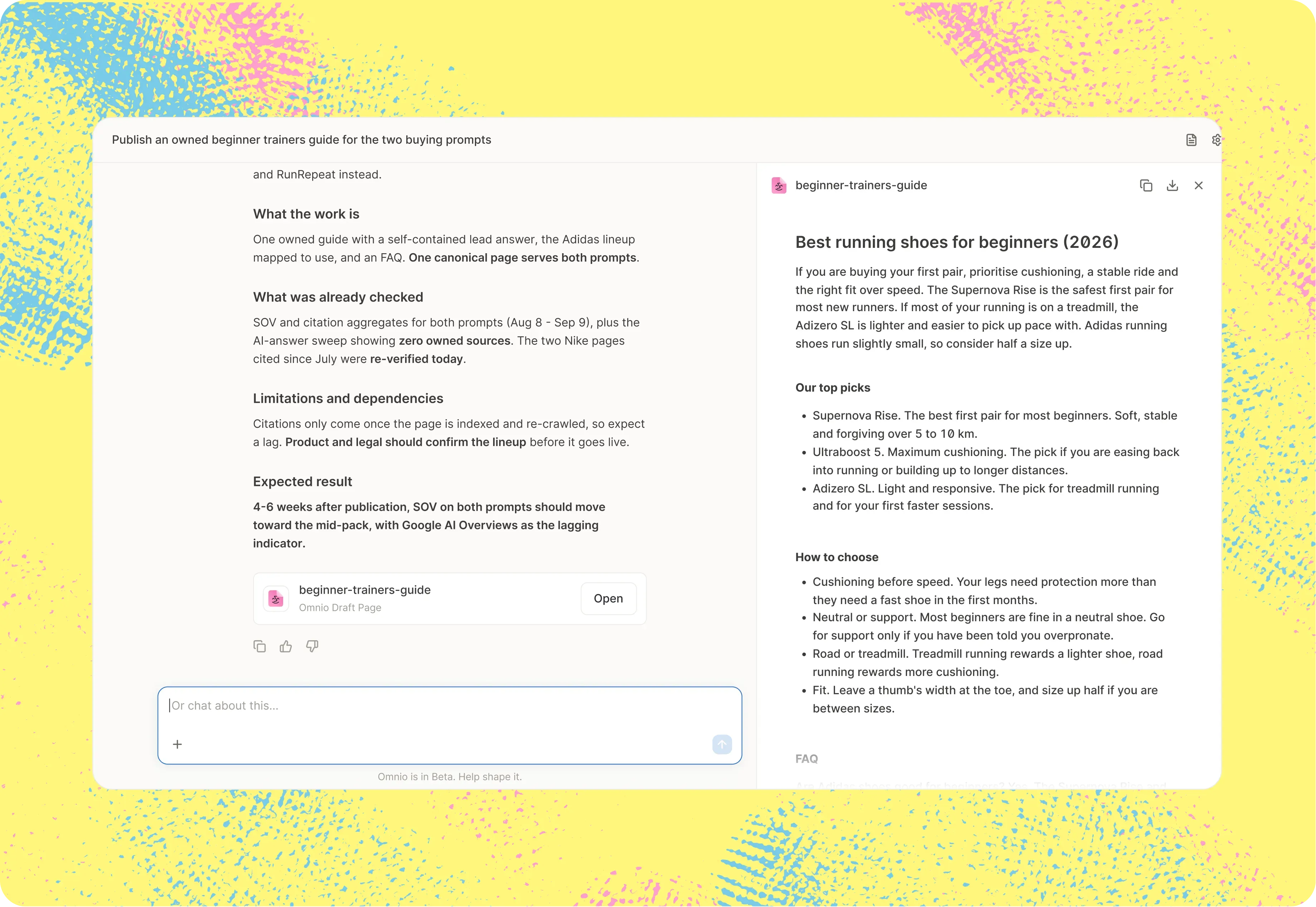
The Project opens beside its conversation, with the context, the evidence, its brief and the draft already loaded, and a question about the next step waiting. Edit it, approve it, and Omnia Agent publishes to the tools you connected.
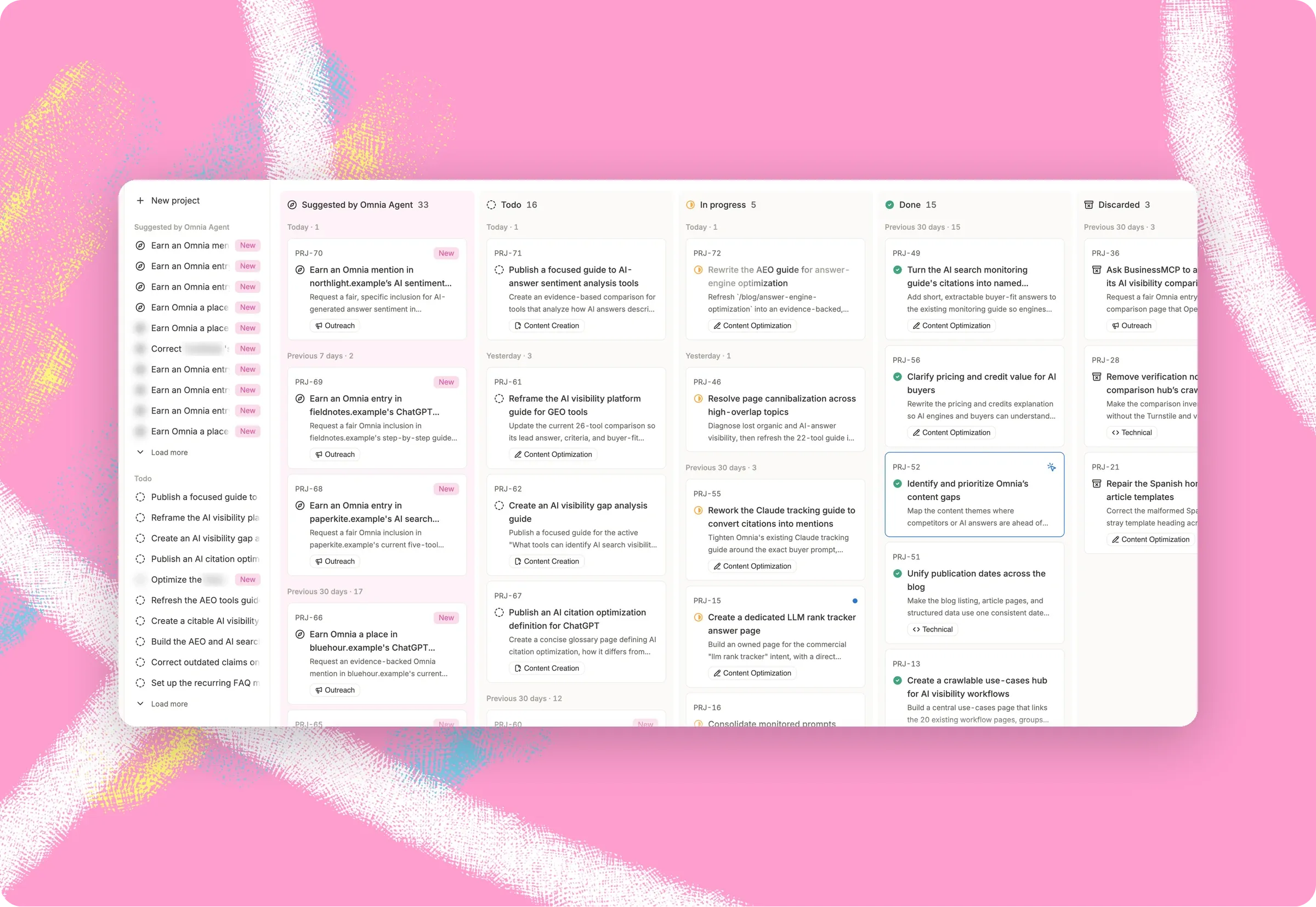
All your AEO work, on one board
See what Omnia Agent suggested, what's to do, in progress and done, plus what you discarded. Move Projects between columns and group them by category.
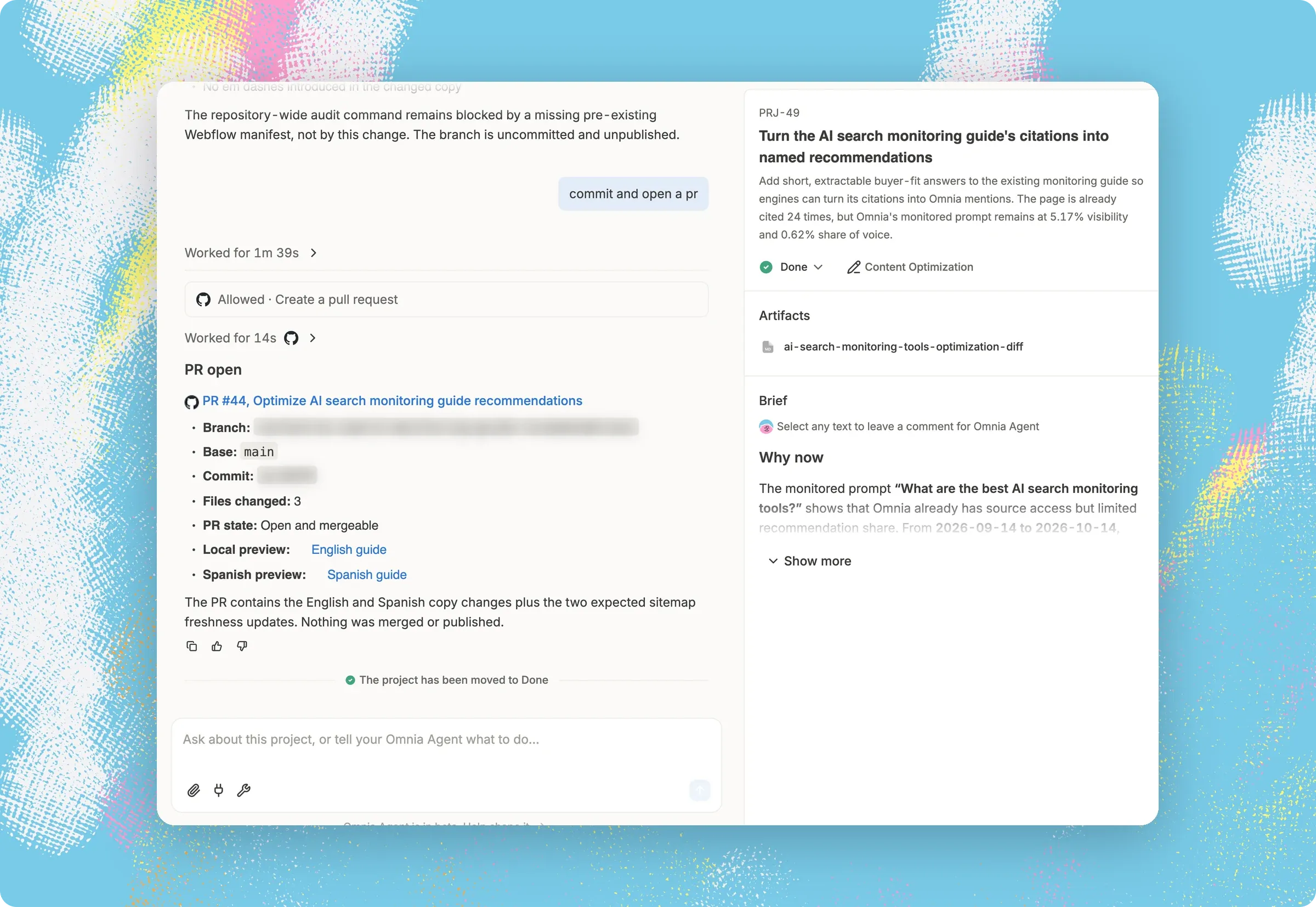
When the work is in place, the Project moves to Done
Omnia Agent marks it Done and shows what it delivered, such as the pages, briefs and drafts, in one place.
Without Project Suggestions
 Dozens of dashboards, and you read them one at a time
- A list of recommendations, and you do maybe one of them
- You accept the idea, then open a blank page
- Filler on quiet days, until you stop reading them
With Project Suggestions
 Omnia Agent reads all of those sources together. Some openings only show up that way.
- "Close a competitor's ChatGPT visibility lead." A project you could start today, with the evidence behind it and the first draft attached.
- Accepting puts it on your Projects board, beside a conversation Omnia Agent already started.
- Omnia Agent stays silent when the evidence doesn't support a suggestion, and checks 60 days of history and your Projects board so work that's open or done doesn't come back.

“Omnia helped us simplify how we look at AI visibility. Our AI leads inbound grew by 30%.”
Find out what Omnia Agent would find in your data.
Frequently Asked Questions
What are Project Suggestions in Omnia?
Project Suggestions are up to three pieces of work Omnia Agent finds and scopes for you, based on your daily monitoring of prompts, citations and sentiment and on your connectors data. Each one names a specific opportunity, states its evidence, and lands on your Projects board, where you accept, start or discard it.
How does Omnia Agent decide what to suggest?
Omnia Agent decides what to suggest by reading your monitoring data, your own site, your competitors' sites, your connectors such as Search Console and Analytics, and your past conversations. Every candidate then has to pass a strict bar: it must be material, novel, specific, safe and worth a project before it reaches you.
How many Project Suggestions does Omnia Agent send, and how often?
Omnia Agent sends up to three Project Suggestions per run, when the evidence is worth it, at a pace that adapts to how much you engage with what it already sent. If the evidence doesn't support three strong suggestions, Omnia Agent sends fewer, or none, rather than padding the list.
What happens when I accept a Project Suggestion?
Accepting a Project Suggestion puts it on your Projects board. The Project opens beside its conversation with Omnia Agent, where the context and evidence are already loaded, with its brief, its plan and often a draft artifact. A question at the end asks whether to start now or save it for later, and you can also accept and start in one step.
Can I create a Project myself?
Yes. You can turn any conversation with Omnia Agent into a Project, and it goes on the same board as the suggestions you accepted.
How do I know when a Project is finished?
Omnia Agent marks a Project Done when the work is in place, and each Project shows what Omnia Agent delivered. You can also move Projects between columns yourself.
Will a Project Suggestion repeat something I already declined?
A Project Suggestion won't re-propose work that's already open or done. Before generating anything new, Omnia Agent checks the last sixty days of suggestions, your Projects board and your live site. When you turn a suggestion down, discard it with a reason: Omnia Agent learns only from discards that come with one.
Does Omnia Agent publish or take action without my approval?
No, Omnia Agent never publishes or acts on a Project Suggestion without your approval. It only prepares work, such as a draft page, an FAQ block or a content brief. You review, adjust and approve everything before anything is published.
Which Omnia plans include Project Suggestions?
Project Suggestions is available on Omnia's Growth, Pro and Enterprise plans. It's a generally available feature, so every account on those plans gets the same check and the same limit of up to three suggestions per run.