MCP
Best MCP Servers for AI Visibility in 2026: 9 Compared

 Alfredo BernalOrganic Growth LeadatOmnia
 Jose Luis García del RíoGrowthatOmnia
TL;DR
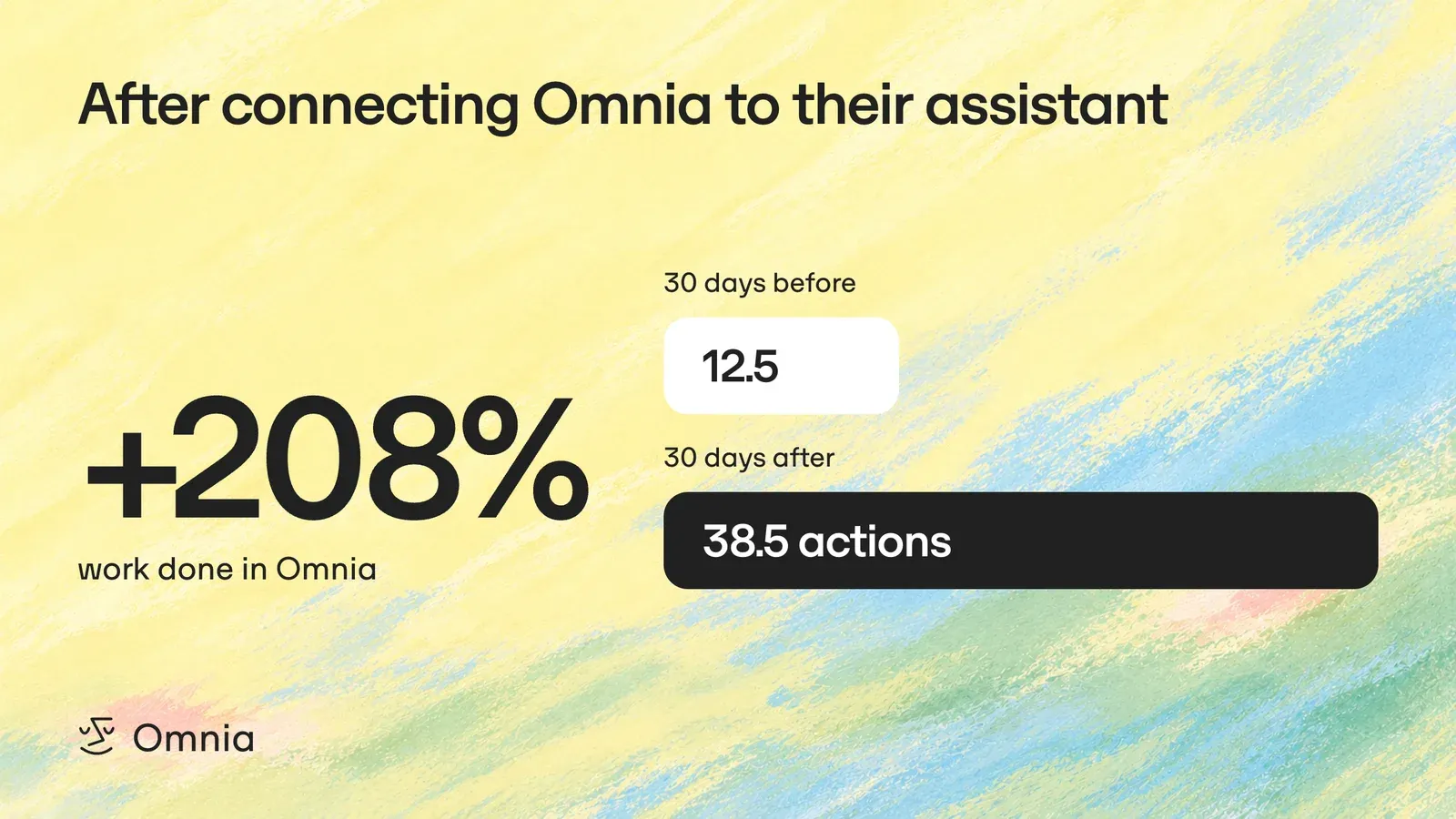
People who connect Omnia to their AI assistant get 208% more work done for their AI visibility. We looked at the same people over the 30 days before and the 30 days after they first connected Omnia to an assistant like Claude or ChatGPT. Their actions in Omnia went from 12.5 a month to 38.5. That's more than twice as many as the average Omnia user. Below: why it happens, what you can do from your own assistant, and how to start.
More and more marketers plan, research and write inside an AI assistant. It's open all day, and it already knows your company, your positioning and the work in progress.
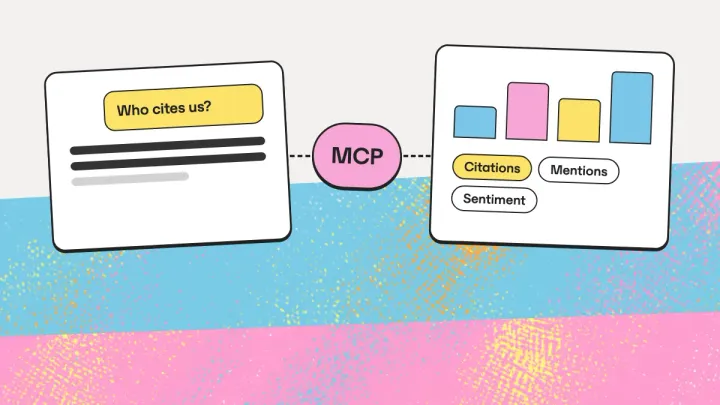
Connect Omnia to that assistant and your AI visibility comes with it. Checking how a prompt is doing, fixing a fact about your brand or moving a project forward is one message in a conversation you're already having. The data, the projects and the next step are right where you're working.
That's the whole idea: Omnia in the place where you already spend your day.
We compared the same people over two 30-day windows: the 30 days before they first connected Omnia to their assistant, and the 30 days after.
We also compared them with everyone else using Omnia.
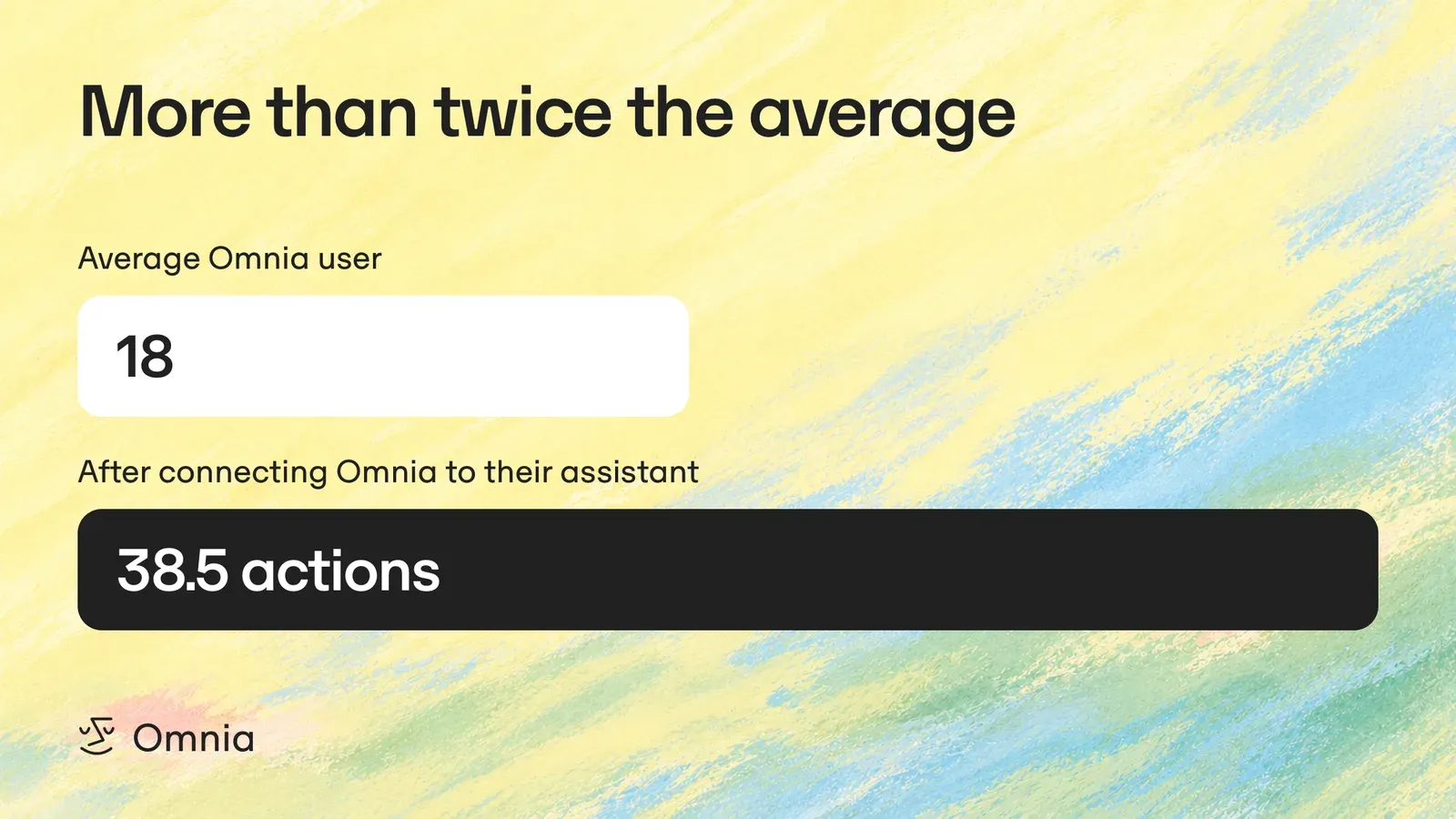
Source: Omnia product data, customer accounts only, 30 days before and 30 days after each person first connected Omnia to an assistant. November 2026.
With Omnia in your AI assistant, the work on your AI visibility happens in the conversation you're already having. Here is what that looks like. Once Omnia is connected, copy any of these prompts into your assistant.
See where you stand. How often each AI engine mentions you for the prompts that matter to you, and how that changed since last week.
Read the actual answers. What an AI engine answered about your category, and which sources it cited.
Find who gets cited instead of you. The pages and sites AI cites where you'd like to be.
Track the questions your buyers ask. Add new prompts as soon as you hear them.
Pick up the work. The projects Omnia Agent proposes, or a gap you've spotted yourself turned into a project of your own.
Close the loop. Move a project forward and close it once the work is live.
Each of these is one message. Your AI visibility becomes part of your week.
Connect Omnia to your assistant and get more done for your AI visibility, in the conversation you're already having.
Omnia measures where you stand and Omnia Agent proposes what to do. The MCP brings both into your assistant, so you can use them wherever you're already working.
Omnia offers a 14-day free trial on the Growth plan.
No credit card required. See exactly where your brand shows up (or doesn't) across AI engines, then let the platform's recommendations guide your next move.

No. You connect Omnia to your assistant once and then ask in plain language.
ChatGPT, Claude, Gemini, Grok, Perplexity and Le Chat. You can also connect from coding tools like Claude Code, Codex, Cursor, VS Code (GitHub Copilot) and Devin, and from your own scripts.
No. Omnia Agent works inside Omnia and proposes projects from your data. The MCP brings those projects and the data behind them into your assistant, where you can work on them.
Your assistant acts on what you ask. Through the MCP it can only make a defined set of changes in Omnia, such as updating projects or prompts, and it doesn't publish anything to your site. You decide what ships.
Omnia monitors your prompts every day across 4 AI engines by default (ChatGPT, Perplexity, Google AI Overviews and Google AI Mode), and up to 7 on request.
Connecting is free. Actions that use credits in Omnia use them the same way from your assistant.
Written By
 Jose Luis García del RíoGrowthatOmniaAlfredo BernalOrganic Growth LeadatOmnia
 Alfredo BernalOrganic Growth LeadatOmnia
 Jose Luis García del RíoGrowthatOmnia
 Alfredo BernalOrganic Growth LeadatOmnia
 Miguel FernándezFounder & CTOatOmnia
No credit card required · Free for 14 days · See your AI visibility within 3 minutes