
AI Search Visibility
AI Crawlers: GPTBot, ClaudeBot, PerplexityBot and How to Manage Them

 Alfredo BernalOrganic Growth LeadatOmniaAlfredo BernalOrganic Growth LeadatOmnia
TL;DR
You already track how AI engines talk about your brand. Now you want the numbers somewhere else: the weekly dashboard, a client report or a sheet your CEO actually opens. Or an AI agent that answers questions about it.
That's what an AI visibility API is for. The catch is that the APIs differ a lot in what they return and in who can use them, and most comparisons skip the second part. This guide covers both, then shows the first calls to make.
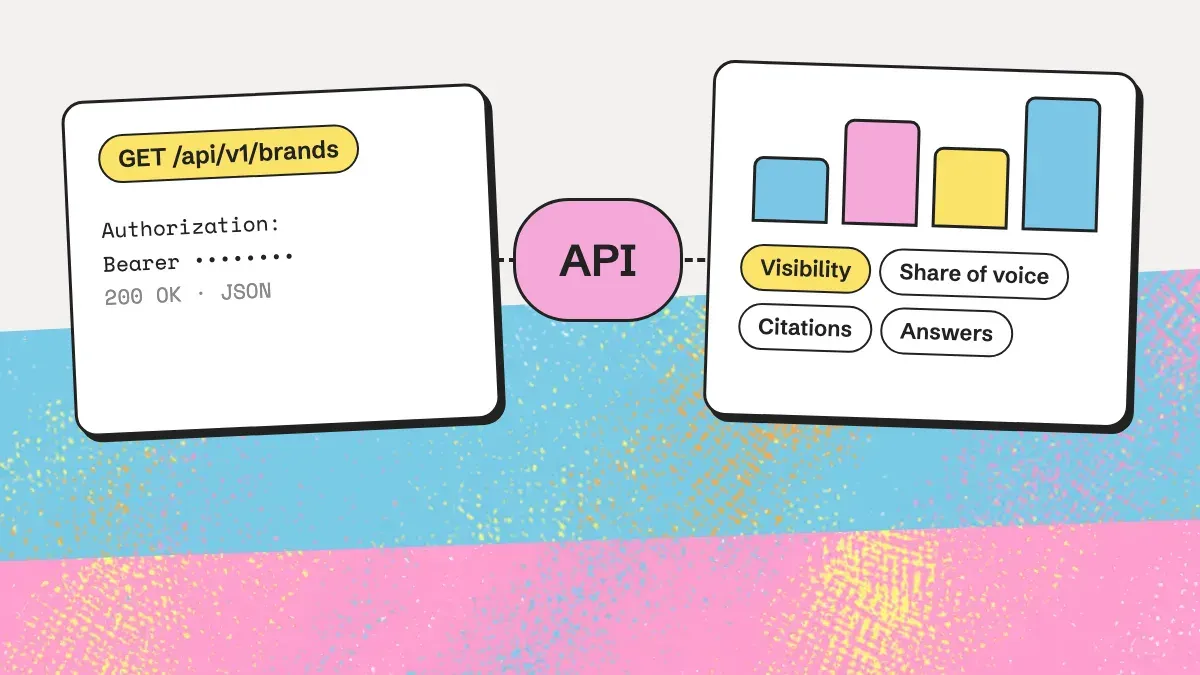
An AI visibility API is a programmatic way to pull data on how AI engines mention and cite your brand, so you can use it outside the vendor's dashboard. It's the same data you see in an AI visibility tool, delivered as JSON to your own scripts, spreadsheets, BI tools or agents.
AI search visibility APIs come in two kinds:
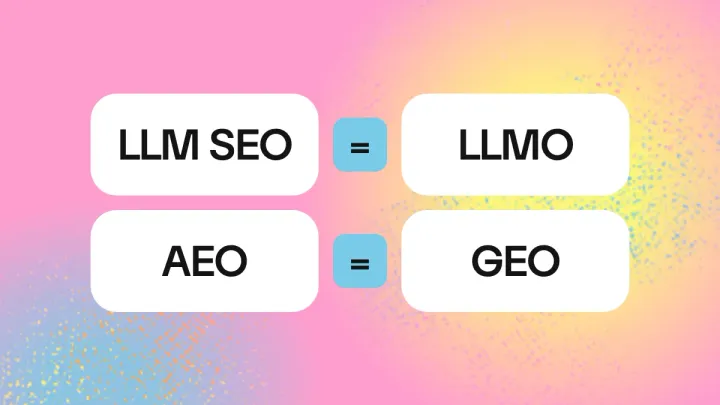
Some people search for an "LLM visibility API": it means the same thing. Many of these tools also offer an MCP server, which lets an AI assistant query the same data in a conversation instead of through code.
A useful AI visibility API returns the evidence behind the numbers, not just a score: who was named, which URLs were cited, and the answer itself.
| Data | Why it matters | Ask the vendor |
|---|---|---|
| Mentions and visibility | The share of AI answers that name you is the headline metric | Is it per prompt, engine and country? |
| Share of voice | Shows your share of brand mentions against named competitors | Can I set my own competitor list? |
| Cited URLs | Shows which pages AI engines use as sources, yours and third-party | Do I get the exact URL, not only the domain? |
| Full AI answers | The only way to check a number or read how you're described | Can I pull the complete answer text with its date? |
| Sentiment | Shows how you're described, not only whether you're named | At what level: brand, topic, prompt? |
| Engines and countries | Different engines and markets name different brands | Which engines and countries are in my plan? |
| History and refresh | Trends need consistent, repeated runs | How often is each prompt run, and how far back can I query? |
| Write access | Lets a script add prompts or tags as your strategy changes | Can I create and edit prompts through the API? |
If you're building a share of voice report, the cited URLs and the competitor list matter most. If you're feeding an agent, full answers matter most, because the agent needs the text to reason about. Our guide to AI citation tracking explains why URL-level citations matter.
The six AI visibility APIs below differ most in who can use them and how they charge. When AI engines answer this question, a small group of vendors dominates. Omnia monitored the US prompt "ai visibility tools with api" daily from 24 October to 22 November 2026:
| Brand | Share of AI answers naming it |
|---|---|
| Profound | 78% |
| SE Ranking | 76% |
| Peec AI | 58% |
| Otterly | 53% |
| DataForSEO | 36% |
| Ahrefs | 35% |
Source: Omnia monitoring, one US prompt, 24 October to 22 November 2026. The answers cited 430 different URLs.
That's one prompt in one market over one month, not a ranking. Here is what each API offers, from the vendors' own pages on 24 November 2026:
| Tool | What the API returns | Who can use it | Pricing model |
|---|---|---|---|
| Omnia | Brands, prompts, topics, views, AI answers, visibility, share of voice, citations, sentiment, Projects | Every plan | Included; plans from €79/month |
| SE Ranking | Mentions, citation links, share of voice against up to 10 competitors, prompts, full answer text | Every plan | Credits for research endpoints, from €45 for 250K credits |
| Profound | Reports on visibility, citations and sentiment; raw answers with mentions and citations | Enterprise plan | Custom |
| Peec AI | Prompt data, source citations, visibility, sentiment | Pro, Advanced, Enterprise and agency plans | Included in those plans |
| Otterly | Mentions, coverage, citations, share of voice, sentiment, prompt results | Standard, Premium and Custom plans | Included, with monthly request quotas |
| DataForSEO | Mention counts, cited sources, top mentioned brands and pages, from a prompt database | Anyone with an account | Pay per request: $0.10 per task plus $0.001 per row |
Omnia. Omnia's REST API covers the same data as its dashboard: AI answers, brands, prompts, topics, trends, views and Projects, with visibility, share of voice, citations and sentiment. It authenticates with an API key sent as a Bearer token, and it can create and manage prompts as well as read data. The API is included on every Omnia plan, alongside an MCP server.
SE Ranking. SE Ranking's AI Visibility API returns brand mentions, linked and unlinked, plus citation links, share of voice against up to 10 competitors and full answer text. It covers Google AI Overviews, AI Mode, Gemini, ChatGPT and Perplexity. API access is included in every plan, and research endpoints draw on credits.
Profound. Profound's REST API generates reports on visibility, citations and sentiment, and returns raw answers with mentions, citations and search queries. It's available on the Enterprise plan, with a default limit of 600 requests per hour per key.
Peec AI. Peec AI's API returns prompt data, source citations, visibility metrics and sentiment. It isn't available on Starter; Pro, Advanced, Enterprise and agency plans include it.
Otterly. Otterly's API returns brand mentions, coverage, citations, share of voice, sentiment and prompt-level results, with an OpenAPI spec. Otterly's help center says it's available on Standard, Premium and Custom plans, with 2,000 requests a month on Standard and 5,000 on Premium.
DataForSEO. DataForSEO's LLM Mentions API queries a database of real prompts and answers on ChatGPT and Google AI Overviews, rather than prompts you track yourself. It charges $0.10 per task plus $0.001 per row returned, so it suits data teams who want broad research more than a fixed prompt set.
The right AI visibility API depends on who will use the data and how often.
| Team | What matters most | Where to look |
|---|---|---|
| Small marketing team | An API included in the plan you already pay for, with cited URLs and full answers | Omnia or SE Ranking, where the API is on every plan |
| Agency | Several brands, generous rate limits and data you can drop into client reports | Plans that include the API on monthly billing; check per-brand limits |
| Enterprise or data team | Volume, custom reports and broad research | Profound's enterprise API, or DataForSEO for pay-per-request research |
If you're looking for an enterprise AI visibility and tracking API, check rate limits and request quotas before features. A report that runs fine for one brand can hit a quota when you run it for twenty.
To pull AI visibility data into a report, create an API key and list your brands. Then pull the same metrics for two equal periods and send the result to the tool your team already reads. Here is the flow with Omnia's API:
Create a key. In Omnia, open the API access page and create a key. Store it as a secret, never in a shared sheet.
List your brands. Call the brands endpoint to get your brand ID:
curl https://app.useomnia.com/api/v1/brands \
  -H "Authorization: Bearer $OMNIA_API_KEY"
Pull visibility and share of voice for two equal periods, such as the last seven days and the seven before, on the same prompt set.
Pull the cited URLs for the prompts that moved, so the report shows why, not only what.
Send it where people look: Google Sheets, Looker Studio, a BI tool or a Slack message.
Schedule it with your own cron job, GitHub Action or workflow tool. Omnia monitors your prompts daily; the schedule for your report lives on your side.
The Omnia API docs list every endpoint. For what to put in the report itself, see our guide to AI share of voice.
Use an API for scheduled, repeatable pipelines, and an MCP server for questions you ask in a conversation. The API suits a dashboard that refreshes every Monday. MCP suits "why did our ChatGPT visibility drop last week?" asked in Claude or ChatGPT.
Many teams use both: the API feeds the standing report, and Omnia MCP handles the follow-up questions the report raises.
Omnia monitors your prompts daily in real browsers on ChatGPT, Perplexity, Google AI Overviews and Google AI Mode, with Claude, Gemini and Bing AI Mode available on request. Its API and MCP server are included on every plan, so you can pull visibility, share of voice, citations, sentiment and full answers into your own tools.
With Omnia MCP, your assistant gets access to your Omnia data and you drive every step; the Omnia Agent does the work inside Omnia, and you approve what ships. Start with a 14-day free trial, no credit card required, or compare Omnia's plans.
Short answers to the questions people ask most about AI visibility APIs.
Omnia, SE Ranking, Profound, Peec AI and Otterly offer APIs for the prompts you track, and DataForSEO offers a pay-per-request API on its own prompt database. Plan access varies: check whether the API is on your plan before you compare features.
Not really. Most AI visibility APIs are included in paid plans, and some offer trial access or credits. DataForSEO charges per request, so small tests cost little, but it isn't free.
Yes. Omnia, SE Ranking, Otterly and others return share of voice through their APIs. Make sure the API lets you set your own competitor list, or the share is calculated against brands you don't care about.
A SERP API returns Google's search results page: rankings, links and features. An AI visibility API returns what AI engines say: which brands they name, which sources they cite and how they describe you.
Some do. Omnia, SE Ranking and Profound expose full answers or raw answer data, which you need to check a number or feed an AI agent. Ask the vendor directly, because many APIs return only scores.
It depends on how often the platform runs your prompts. Omnia runs tracked prompts daily; other tools offer daily or weekly cadences depending on the plan. A data API like DataForSEO's reflects when its database was last refreshed.
Omnia offers a 14-day free trial on the Growth plan.
No credit card required. See exactly where your brand shows up (or doesn't) across AI engines, then let the platform's recommendations guide your next move.
Written By
 Alfredo BernalOrganic Growth LeadatOmniaAlfredo BernalOrganic Growth LeadatOmnia
 Alfredo BernalOrganic Growth LeadatOmnia
 Alfredo BernalOrganic Growth LeadatOmnia
 Alfredo BernalOrganic Growth LeadatOmnia
 Alfredo BernalOrganic Growth LeadatOmnia
No credit card required · Free for 14 days · See your AI visibility within 3 minutes