
AI Search Visibility
Generative Engine Optimization Services: What They Include and Cost in 2026

 Alfredo BernalOrganic Growth LeadatOmnia
 Jose Luis García del RíoGrowthatOmnia
TL;DR
The highest-signal prompts don't come from a keyword tool. They come from your own sales calls first, public search data second, filtered against two questions: where you stand against the competitors you actually lose deals to, and which prompts sit close enough to a buying decision to matter. Everything below is how to build that list without a research team.
Nobody knows exactly what people type into ChatGPT. That's true, and it's the reason most prompt tracking never gets off the ground. But it's not an argument against tracking prompts. It's an argument against guessing at them.
Most teams respond to the uncertainty by brainstorming a stack of "best [category]" prompts and calling it a strategy. That produces a list that looks complete and tells you almost nothing. It skips the prompts your actual buyers use before they've settled on category language, and it treats every prompt as equally valuable, when most of them aren't.
There's a better source sitting in your CRM already. The prospects who found you through AI told someone on your team exactly what they typed, on a discovery call, in a demo follow-up, in a note nobody read twice. That's not a guess. That's the prompt.
This guide walks through where to find those prompts, how to fill the gaps with public data, and how to filter the result down to a list a small team can actually track and act on.
Every other sourcing method on this list is an educated guess. This one isn't.
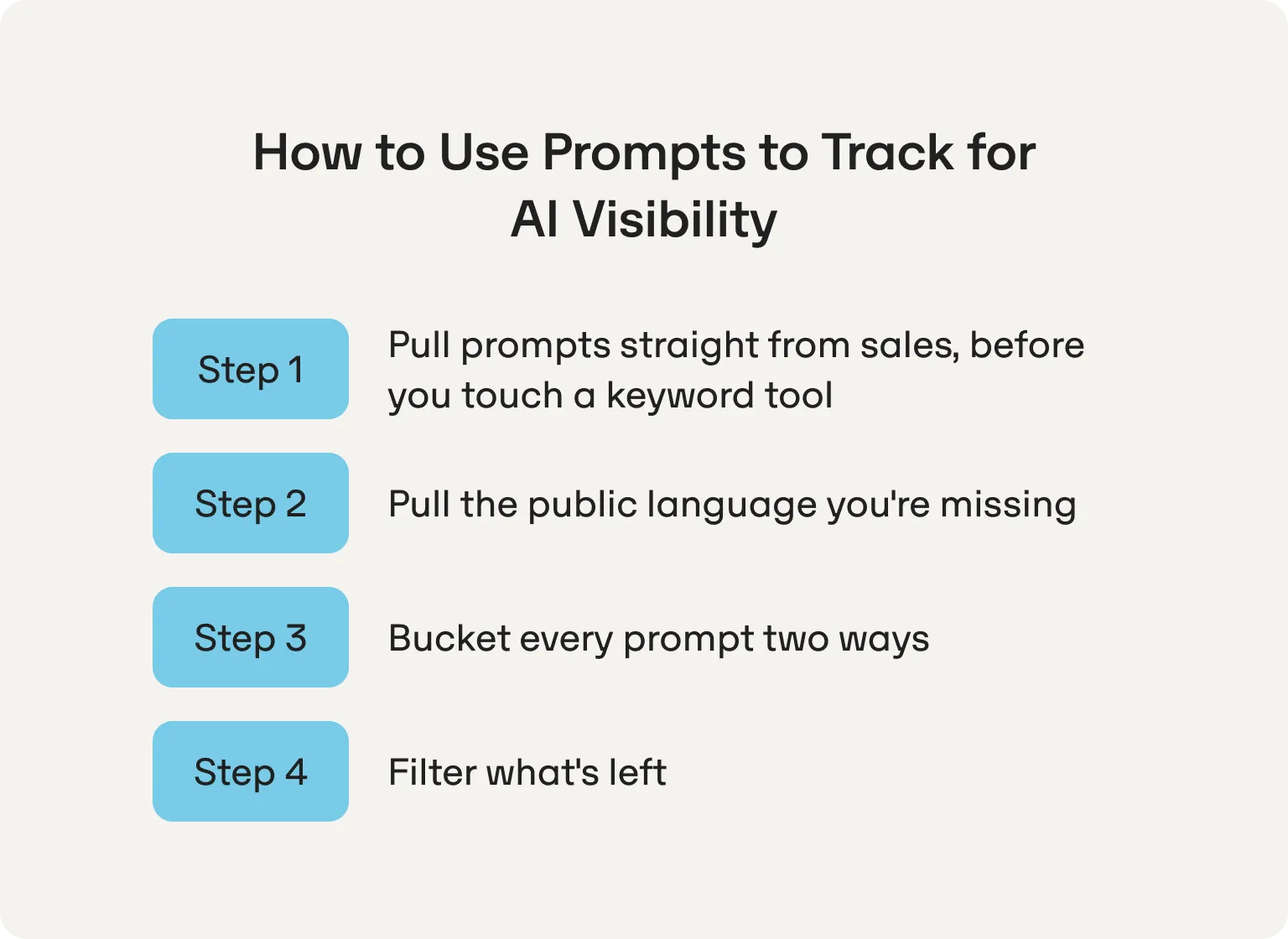
If a prospect found you through ChatGPT or Perplexity, someone on your team already heard them describe it out loud, a different exercise entirely from converting search queries into prompts after the fact. That's not inferred language, it's the actual prompt, and most teams never write it down.
Pull up your last 10 to 15 demo call recordings or notes. Search for any mention of "I asked ChatGPT," "I searched," or "I found you through." You're not looking for a pattern here, one mention is enough to add a prompt to the list. A team doing this for the first time usually walks away with three to five real prompts they wouldn't have brainstormed in an hour of guessing.
You likely already ask how a prospect heard about you. Add a single follow-up, right after: "Was that a Google search, or did you ask an AI tool directly? If AI, what did you actually type?" That's it. No new process, no new tool, just one more line in a script your team is already running.
This turns every future call into a data point for free. Six months from now, you'll have a running log of real prompts tied to real pipeline, updated automatically as a side effect of selling.
One honest limit worth naming here: this method is self-reported and low-volume. It tells you what a handful of buyers said, not what your whole market is asking. Treat it as your seed list, the starting point the rest of this guide fills in around, not the finished product.
Sales calls tell you what a handful of buyers said. To see the rest of the market, you need prompt research that draws on public data instead of a conversation you happened to be in.
Export your non-branded queries from Google Search Console and filter for anything starting with "what," "how," or "which." These are the closest proxy available for how people phrase prompts, closer than a raw keyword ever gets.
Run your top queries through People Also Ask and AlsoAsked, then group what comes back by the topic it actually belongs to, not just the keyword it triggered on. This is conversational intent mapping in practice: sorting surface-level questions by the underlying decision they represent, so you can see where your coverage is thin before you start tracking.
People describe problems on Reddit before they've learned the category name for them, which makes it a rich source for prompt mining: reading real, unprompted language for phrasing a keyword tool would never surface. It's also disproportionately represented in what LLMs actually cite, so the phrasing you find here tends to map unusually well to what the models expect.
By now you have a list from two very different sources: verified prompts from sales, inferred prompts from GSC, PAA, and Reddit. Sort every prompt twice before you touch a tracker.
By source: verified (sales-sourced) / inferred-public (GSC, PAA, Reddit) / brand-evaluation. Brand-evaluation prompts, "is [Brand] worth it," "[Brand] vs [Competitor]," get tracked in their own group. Your brand name in the prompt all but guarantees visibility, and mixing that in with category prompts inflates numbers that should reflect real competitive standing.
By objective: competitive standing or pipeline signal. Sales-sourced prompts are almost always pipeline signal, someone said it on their way to a decision. Category prompts from GSC and PAA are usually share of voice plays: are you named at all, and how often, against the competitors you're actually up against. Tagging each prompt this way now means you're not guessing at what a result means once tracking starts.
Two questions, applied to everything except your verified sales prompts, which have already earned their place:
Would this prompt realistically surface your brand or a named competitor? If a prompt is too broad or too tangential to your category, it's noise, no matter how interesting it looks.
Can you actually compete for what's currently cited? Pull the sources an engine cites for the prompt and check whether they're within reach. A citation eligibility score that's dominated by government sites or Wikipedia tells you to deprioritize; a prompt citing listicles, forums, or mid-authority blogs tells you there's a real path in.
Sourcing holds up fine as a spreadsheet exercise, right up until you get to keeping it running. The table below shows exactly which parts of this process survive being done by hand, and which one doesn't.
| Step | Manual | Where a tool matters |
|---|---|---|
| Sales-call mining | Fully manual, a process change, not a budget one | — |
| GSC, PAA, AlsoAsked | Doable by hand, low cost | Saves time at volume |
| Reddit and forum mining | Doable by hand | — |
| Bucket and tag | A spreadsheet holds up fine to 20 to 30 prompts | — |
| Filter for influenceability | Manual, but you're estimating who's cited without source-level data | Seeing cited domains directly, sorted by authority |
| Ongoing tracking | Copy-pasting into ChatGPT weekly, across models, by hand | This is where it stops scaling |
That last row is the real bottleneck, and it isn't a small one. Prompt results aren't static: run the same prompt twice and the cited sources can shift entirely between runs.
Based on Omnia's proprietary citation data, only 19.8% of Gemini prompts kept the same top-cited source across a four-week tracking window, meaning roughly 4 in 5 changed their lead source at least once in a month, and nearly half swapped it three times or more, a pattern closer to visibility volatility than a stable ranking. A founder manually checking even 20 prompts across three models loses hours a week and still can't reliably tell drift from a real shift in standing. This is the actual argument for AI search monitoring tools, not the sourcing work above, which a spreadsheet handles fine.
Everything in this guide compresses into three weeks if you run it as a sequence rather than a backlog.
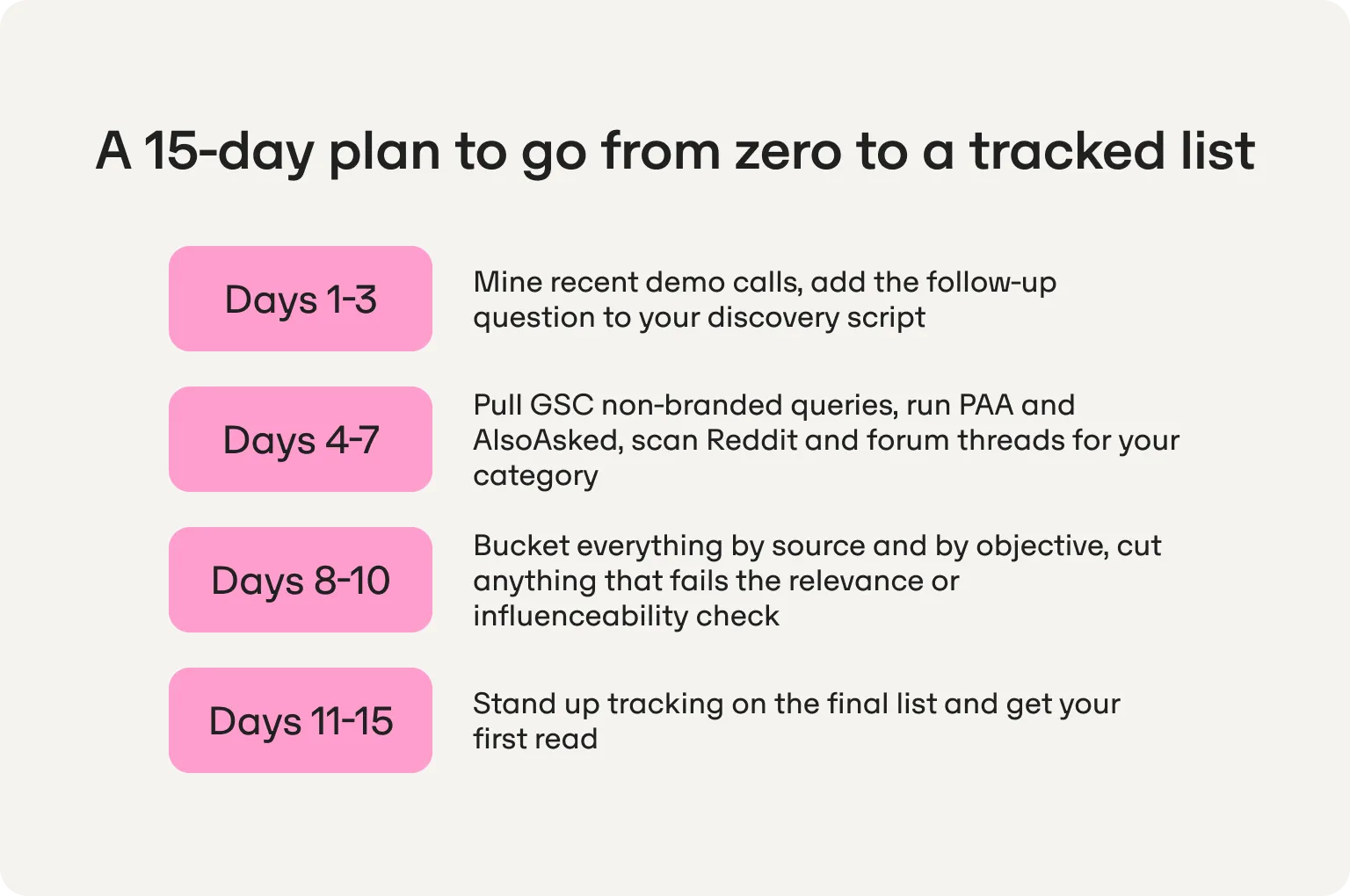
Sourcing comes first, filtering comes second, and tracking only starts once the list has earned its place, in that order, on this timeline:
Days 1 to 3: mine recent demo calls, add the follow-up question to your discovery script.
Days 4 to 7: pull GSC non-branded queries, run PAA and AlsoAsked, scan Reddit and forum threads for your category.
Days 8 to 10: bucket everything by source and by objective, cut anything that fails the relevance or influenceability check.
Days 11 to 15: stand up tracking on the final list and get your first read.
Track bucket-level visibility, not a flat average across every prompt. Track citation consistency on your pipeline-tagged prompts specifically, since that's the group tied to revenue. And track AI citations on your brand-evaluation bucket separately, watching for outdated or inaccurate information as much as for absence.
What not to obsess over: raw prompt count. A list of 25 well-sourced, well-bucketed prompts tells you more than 100 guessed ones ever will.
Everything above, sourcing, bucketing, filtering, is work a lean team can do by hand. Sustained tracking isn't, and neither is what comes after you spot a gap: diagnosing why you're missing from a prompt, rewriting the page, and getting the fix published somewhere an engine will actually cite it. The Omnia Agent is built to close that loop.
Omnia tracks over 80,000 prompts in real time, has analyzed more than 8.5 million AI answers, and has traced over 80 million citations. That's what your Omnia Agent reads before it acts, not a general sense of best practice. When it flags that a competitor is taking your citations on a prompt, it's showing you positions, sources, and sentiment pulled from your own tracked data.
Connect GSC and GA4, and your Omnia Agent reads the same non-branded queries and traffic data from Steps 2 through 4, then keeps reading them on its own. Add Semrush or Ahrefs and competitor keyword and backlink data folds into the same picture. The sourcing work above doesn't go away. Your Omnia Agent just keeps running it after day 15, instead of stalling the way a spreadsheet does once nobody's updating it.
A few things it does once it finds a gap:
Every action that goes public waits for your approval first.
Tell it something about your brand once, and it carries that context forward. For a team of one or two, that persistence is doing the job a specialist hire usually does: showing up already knowing what's been tried, what worked, and what to check next.
A capable team could technically try. What breaks that plan isn't ambition, it's time and data. Doing it well takes weeks of setup most marketing teams don't have, and at the end of it you'd still be missing the tracked citation data that tells you whether any of the work is landing. The Omnia Agent comes with the AEO skills already built in, prompt discovery, competitor profiling, site audits, content creation, digital PR outreach, wired to data that already exists instead of a stack you'd have to assemble yourself.
For a team of one or two, that's the part that was never going to happen manually, not because the research is hard, but because there's nobody left to execute on what it finds. The Omnia Agent doesn't replace that person. It's the AEO hire a team this size was never going to make.
You built the list. You know where you stand and which prompts are worth chasing. The only question left is whether you're the one running it by hand every week, or whether your Omnia Agent is.
Start free for 14 days and let your Omnia Agent turn the list you just built into a tracked, executed AEO strategy.
Omnia offers a 14-day free trial on the Growth plan.
No credit card required. See exactly where your brand shows up (or doesn't) across AI engines, then let the platform's recommendations guide your next move.

Somewhere between 20 and 30, weighted toward your verified sales prompts and your highest-confidence category prompts. Add more once the first batch has run for a few weeks and you can see where the gaps actually are.
No. Everything through bucketing and filtering works in a spreadsheet. A tool earns its place once you're tracking consistently across models and need to catch drift you can't spot by hand.
Every 30 to 60 days, or any time a discovery call surfaces a prompt you haven't seen before. Retire prompts that never return useful signal and add new ones as your sales team keeps feeding the seed list.
Not without checking first. Engines that look related on the surface don't always behave the same way underneath, and treating them as interchangeable is a fast way to misread your own data. Run your list across the two or three engines your buyers actually use, then adjust per engine as you learn where each one draws its answers from, rather than assuming visibility in one carries over to the rest. This is part of what a multi-engine optimization approach is meant to catch.
Track it for one cycle and let the data decide. If it never returns your brand or a named competitor after a few runs, drop it. The filtering criteria in this guide are meant to cut the obvious misses, not to force a perfect list on day one.
Every 30 to 60 days, or any time a discovery call surfaces a prompt you haven't seen before. Retire prompts that never return useful signal and add new ones as your sales team keeps feeding the seed list.
Written By
 Jose Luis García del RíoGrowthatOmniaAlfredo BernalOrganic Growth LeadatOmnia
 Alfredo BernalOrganic Growth LeadatOmnia
 Jorge HermoSoftware EngineeratOmnia
 Alfredo BernalOrganic Growth LeadatOmnia
 Miguel FernándezFounder & CTOatOmnia
No credit card required · Free for 14 days · See your AI visibility within 3 minutes